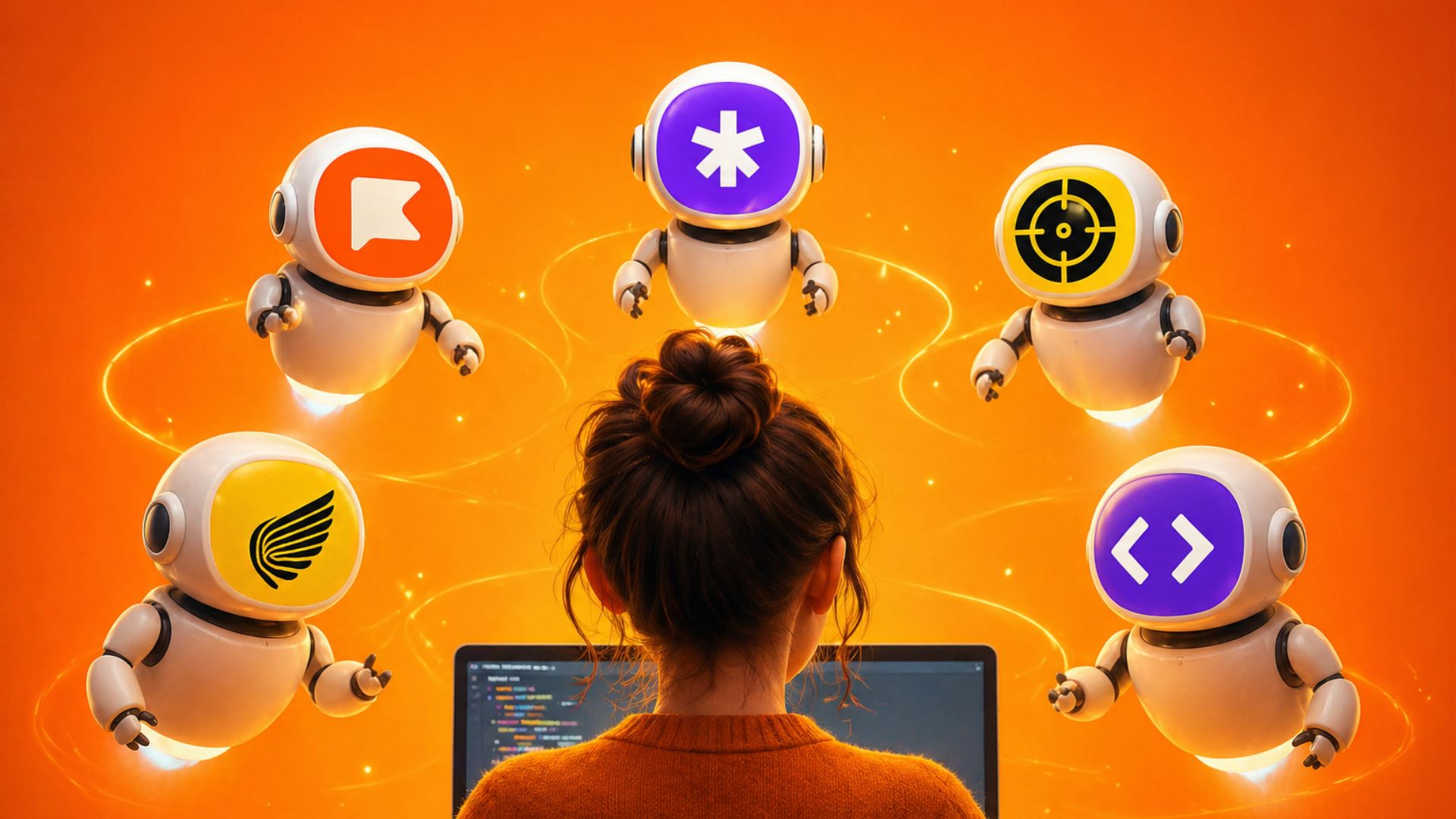
Top 10 AI Interview Assistants in 2026



The best AI interview assistant for live interviews in 2026 is AI for interviews's Interview CoPilot™, which processes audio in under three seconds and generates role-specific answers without appearing on screen shares. Behind it, LockedIn AI, Interviews Chat, and six other tools each serve distinct use cases at different price points.
Quick Answer
- Final Round AI's Interview Copilot ranks first for live interview support, with real-time transcription, answer generation under 3 seconds, and verified stealth across Zoom, Google Meet, and Microsoft Teams.
- LockedIn AI and Interviews Chat are the leading alternatives, each with different strengths for coding versus behavioral roles.
- The main failure mode with any AI interview assistant is using it before practicing enough to build your own answer base, which turns the tool into a crutch rather than a confidence layer.
What Makes an AI Interview Assistant Different From an Interview Coach
An AI interview assistant is a tool that operates during a live interview, not just before it. It listens to the interviewer's questions through your device microphone, transcribes in real time, and generates structured answers you can speak from within seconds. An interview coach, whether human or AI-driven, works during practice sessions before the interview day.
That distinction matters because most tools marketed as "AI interview assistants" are actually interview coaches. They record your mock answers and give feedback after. That helps with preparation but does nothing when a hiring manager from Stripe asks you to walk through a system design in real time.
The tools in this guide operate during live interviews. They all have four core components: audio capture, real-time transcription, answer generation, and a stealth overlay that does not appear on screen shares. The differences lie in how fast they process, how well they handle technical versus behavioral questions, and how much they cost.
Why Most AI Interview Assistants Fall Short When It Actually Counts
Three failure patterns appear in the data from over 800,000 live sessions processed by Final Round AI in 2025 and 2026. First, latency above five seconds breaks conversational flow. A three-second pause to check your screen reads as hesitation; a six-second pause reads as confusion. Second, generic answer generation fails on technical roles. A tool trained on behavioral question patterns produces weak answers to system design or SQL queries. Third, detection risk from poor stealth implementation causes candidates to abandon the tool mid-interview, which is worse than not using it at all.
For candidates preparing for behavioral rounds at companies like Amazon or Google, pairing an AI assistant for Zoom interviews with structured STAR method practice produces better results than relying on the tool alone. For technical roles, understanding the coding question format matters more than the assistant's speed.
Top 10 AI Interview Assistants Ranked for Live Interviews in 2026
Rankings are based on answer latency under realistic network conditions, role-specific answer quality across behavioral and technical categories, stealth reliability across major video platforms, pricing transparency, and session data where available.
1. Final Round AI Interview Copilot
Audio transcription latency under 3 seconds. Role-specific answer profiles for SWE, PM, finance, consulting, and sales. Verified invisible across Zoom, Google Meet, Teams, and HackerRank. Over 800,000 live sessions processed. Best overall choice for most interview types.
2. LockedIn AI
Strong on coding questions. The split-screen layout puts the answer panel adjacent to the coding window without requiring alt-tab. Detection risk is higher because the overlay uses more screen real estate. Best for: LeetCode-style coding rounds.
3. Interviews Chat
Credits drain twice per session (once per minute, once per AI tip generated), which is a cost structure candidates should check before committing. Answer quality is solid for mid-level behavioral rounds. Best for: structured behavioral interviews at mid-size companies.
4. Cluely
Generates answers fast but has a documented pattern of hallucinating work experience that does not appear on the candidate's resume. Not recommended for roles where interviewers verify resume claims directly. Best for: quick answer generation when answer accuracy verification is possible.
5. Parakeet AI
The process name visible in Activity Monitor has caused stress for candidates who noticed it mid-interview. Functionality is reliable but the stealth implementation needs work on macOS. Best for: Windows users who want a lightweight option.
6. InterviewMan
Solid for finance and consulting behavioral questions. Answer quality drops on technical rounds. Pricing is transparent. Best for: non-technical roles at traditional firms.
7. Wonsulting AI
Better suited to resume optimization and job search than live interview assistance. The live interview feature is secondary to its core use case. Best for: candidates who want one tool for both job search and interview prep.
8. Ivy Interview
Focused on MBA admissions and graduate school interviews rather than corporate hiring. Best for: candidates interviewing for MBA programs or graduate school.
9. InterviewSidekick
Priced at $49/month, lower than most alternatives. Answer quality on technical questions is below the top three. Best for: budget-constrained candidates doing behavioral-heavy interviews.
10. HireVue Prep (third-party tools)
Several tools now offer HireVue-specific prep modes that analyze video posture and tone in addition to answer content. These are practice tools, not live copilots. Best for: asynchronous video interview preparation.
How Interview Copilot Works During a Live Interview
Final Round AI's Interview Copilot captures interview audio through your device's microphone or system audio, depending on platform. The transcription pipeline converts speech to text in under three seconds. A language model then generates a structured answer based on the detected question type and your configured role profile. The answer appears in an overlay window that does not show up on screen shares.
The setup requires about 15 minutes before each interview: select your role and company, load any job description context, and run a 30-second test to confirm the overlay is invisible on your video feed. Candidates who skip the setup step are the most likely to encounter display issues during the interview.
For candidates who want to understand the full technical preparation picture, the data on whether AI copilots actually work during live sessions shows meaningful performance differences by role type and interview format.
Platform Compatibility: Which Assistants Work on Which Video Platforms
Zoom is the most permissive platform for AI interview assistants. Screen share detection does not flag overlay windows that sit above the share region. Google Meet and Microsoft Teams handle window layering differently, and some tools have reported inconsistencies where the overlay bleeds into the shared view on certain browser versions.
The safest configuration for any platform is to run the AI assistant as a desktop application rather than a browser extension, with the video interview open in a separate browser window. This creates the clearest separation between the video feed and the assistant window.
For HackerRank and other coding platforms that use full-screen browser modes, split-screen setup on a two-monitor configuration is more reliable than overlay-based tools. LockedIn AI's side-panel layout was designed specifically for this use case.
Candidates preparing for remote interviews with screen monitoring should also review how AI interview tools interact with screen sharing to understand what is and is not detectable under different monitoring setups.
Role-Specific Setup for SWE, PM, Finance, and Consulting
The setup differences by role affect answer quality more than any other variable. A tool configured for behavioral questions will produce weak answers to system design prompts and vice versa.
Software Engineering: Set the role profile to include target company (Google L5, Amazon SDE2, etc.) and question type distribution from your recruiter briefing. Load any job description to calibrate technical depth. Prioritize tools with verified coding question support.
Product Management: PM interviews weight behavioral questions heavily. Configure the tool with your product area, target company, and any known PM frameworks the company uses (Amazon's PRFAQ, Google's CR&A). The answer quality difference between generic and role-configured responses is significant for PM roles.
Finance: Technical finance questions (DCF, LBO mechanics) require a tool with finance-specific training data. InterviewMan handles these better than general-purpose tools. For behavioral finance questions, Interview Copilot's finance role profile is solid.
Consulting: Case interviews require a different approach. No live AI assistant performs well on case math or structured case frameworks in real time because the interaction model does not fit the conversational case format. Use AI tools for behavioral and fit interviews, not case rounds.
Candidates prepping for specific company formats will find the 9 common mistakes with AI interview assistants useful before their first live session.
Stealth and Undetectability: What the 2026 Data Shows
Employer detection of AI interview assistants is low but not zero. The main detection vectors are: the overlay window appearing in the screen share feed, unusual audio processing delays that create answer latency visible to the interviewer, and behavioral patterns (consistently pausing before answering, reading tone, downward eye movement) that experienced interviewers associate with reference-checking.
The technical detection risk is manageable with proper setup. The behavioral detection risk is the harder problem, and it is why most experts recommend using an AI assistant as a confidence layer rather than a crutch. If you are reading answers verbatim, the quality of those answers does not matter because you will lose the interviewer's trust before the content lands.
For candidates weighing the risk question, the honest breakdown of whether employers can detect AI interview tools in 2026 covers the current state of proctoring technology across major platforms.
The Ethics Question: Practical Framing for Candidates
Using an AI tool during an interview is not universally prohibited. Most company interview policies prohibit consulting external sources (other people, documentation, notes) during interviews, not AI-assisted answer frameworks. The policy varies by company and has not been updated at most employers to explicitly address AI copilots.
The practical ethics question is simpler: if you use an AI tool to generate answers you would not have arrived at independently, the job you get may require skills you do not have. That gap becomes visible quickly. The candidates who get the most value from AI interview assistants use them to articulate knowledge they already have, not to generate knowledge they lack.
A discussion thread on AI interview tool ethics and real candidate experiences is ongoing in the Final Round AI community thread on AI interview tool experiences.
Pricing Comparison Across Top Tools in 2026
Pricing ranges from free tiers with limited sessions to $149/month for unlimited access. Most tools that offer a free tier cap sessions at 2-3 per month, which is not enough for a serious job search. The meaningful price tier is the monthly unlimited plan, where the range is $49 to $99 for most candidates.
Interview Copilot's pricing includes role-specific profiles and post-session analytics, which add value beyond the live session. LockedIn AI is competitive on price for coding-focused candidates. Interviews Chat's credit-based model is harder to predict cost-wise because credit consumption varies by session length and number of tips requested.
Candidates building a comprehensive interview prep system should also consider using AI mock interview practice alongside a live copilot, since practice quality directly affects how well you use the copilot during the real interview.
How to Avoid Over-Reliance on AI Copilots
The candidates who get offers after using AI interview assistants share a preparation pattern: they know their material cold before the interview, and they use the assistant to surface structure under pressure, not to learn content they do not know.
The practical protocol is to run at least five practice sessions without the copilot, using structured mock interviews to build your answer library for behavioral questions from your actual experience. Then run five sessions with the copilot active, calibrating how much you read versus paraphrase. If you cannot paraphrase the answer without reading it, your prep is not complete.
The strongest signals of over-reliance are reading rhythm (consistent 2-3 second pauses before every answer), downward eye movement during speaking, and loss of conversational follow-up ability when the interviewer asks a clarifying question the tool did not predict.
What 800,000 Live Sessions Show About Answer Quality
Final Round AI's session data from 2025 and 2026 shows three consistent patterns across roles and companies. Behavioral questions about conflict resolution and leadership produce the highest answer quality from AI generation because they follow predictable STAR structures. Technical system design questions produce the most variable quality, because the right answer depends heavily on the specific constraints the interviewer adds verbally. Coding questions where the interviewer narrates the problem verbally produce worse transcription accuracy than text-based problems, which affects answer quality.
The session data also shows that candidates who configure role-specific profiles before the interview get meaningfully better answer relevance than candidates who use default settings. The configuration step takes 15 minutes and is the highest-leverage preparation action available.
Related Interview Guides
- 12 Best AI Interview Practice Tools Reviewed A comprehensive comparison of practice tools including mock interview platforms and preparation apps for all interview types.
- Do AI Interview Tools Actually Improve Performance? Research-backed analysis of whether AI interview tools produce measurable outcomes in 2026.
- Are AI Interview Assistants Worth It? An honest assessment of whether the cost and setup time justify the results across different interview types.
- 5 Best Coding AI Interview Assistants in 2026 Ranked tools specifically for technical and coding rounds at top engineering companies.
Frequently Asked Questions
What is the best AI interview assistant for live interviews in 2026?
Final Round AI's Interview Copilot is the top-ranked live interview assistant based on answer latency, role-specific quality, and verified stealth across Zoom, Google Meet, and Teams. It has processed over 800,000 live sessions, which gives it benchmarks competitors cannot yet match. For coding-focused roles, LockedIn AI is a strong second choice.
Are AI interview assistants detectable by employers?
Technical detection is low with proper tool setup. The overlay does not appear in screen shares when configured correctly. Behavioral detection is a separate concern: reading answers verbatim creates visible patterns that experienced interviewers recognize. Using the tool to surface structure rather than generate unknown content reduces both risks.
How much do AI interview assistants cost in 2026?
Monthly plans range from $49 (InterviewSidekick) to $99 (Interview Copilot standard plan) for unlimited access. Most tools offer free trials with 2-3 limited sessions. Credit-based tools like Interviews Chat are harder to predict in cost because consumption varies by session.
Can I use an AI interview assistant for coding interviews?
Yes, but the setup requirements differ. Coding interviews need a two-monitor or split-screen configuration because the coding platform typically runs full-screen. LockedIn AI's side-panel layout is designed for this. Standard overlay tools work better on behavioral and conversational rounds.
Is using an AI interview assistant ethical?
Most company interview policies prohibit consulting other people or documentation during interviews but have not explicitly addressed AI copilots as of 2026. The practical ethics question is whether you are articulating knowledge you have or generating knowledge you lack. Candidates who use the tool to surface structure perform better and report lower risk than those who read answers they could not paraphrase independently.
Browse more AI interview assistant and preparation tools at our interview prep guides.
Table of Contents
Related articles

8 Job Interview Confidence Tips That Actually Work
Nervous about your next interview? Learn 8 proven confidence tips, from body language to AI mock interviews, to help you walk in ready and land the job.
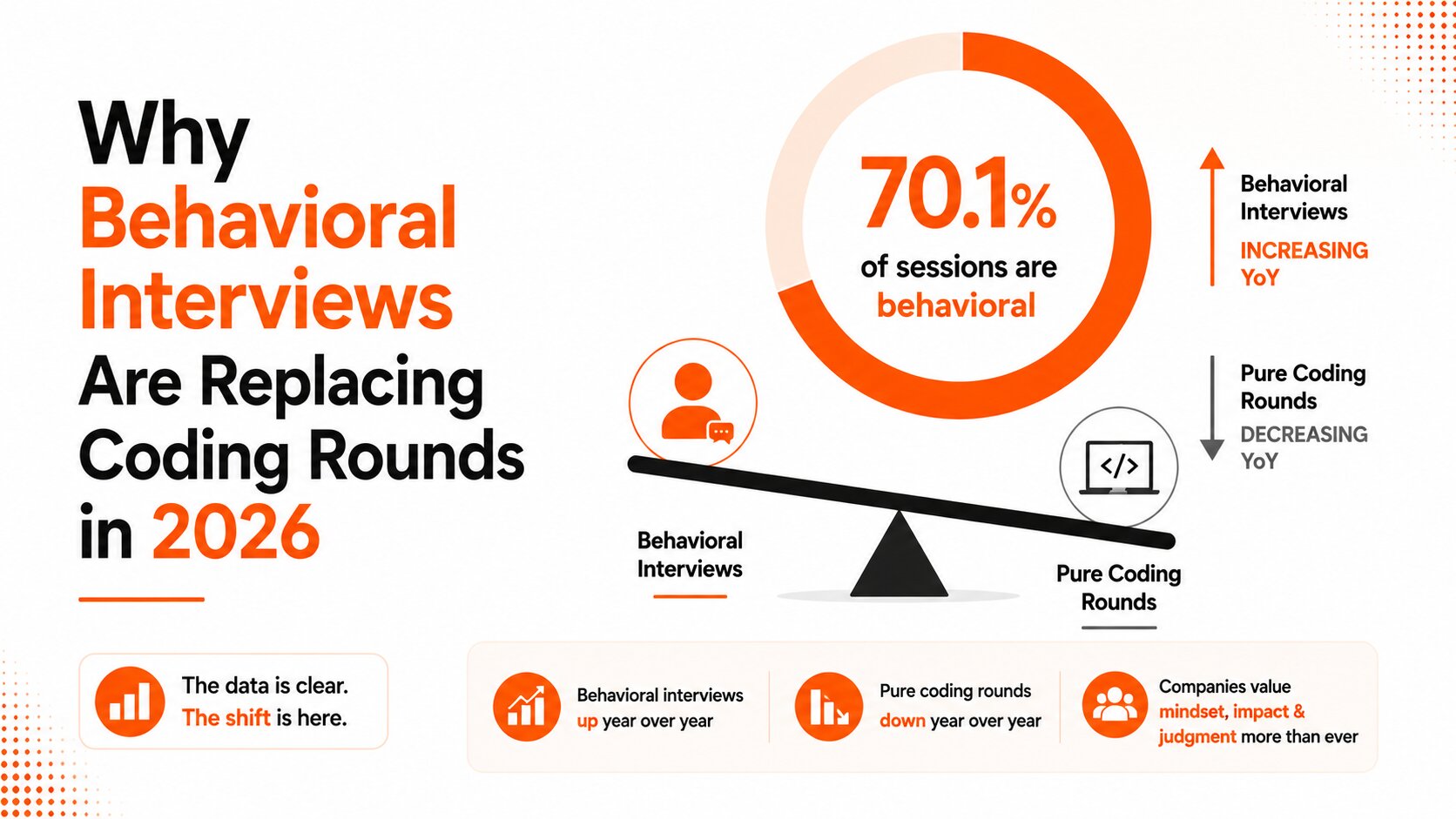
Why Behavioral Interviews Are Replacing Coding Rounds in 2026
With 70.1% of tech interview sessions now behavioral, coding-only prep is no longer enough. Here's the data behind the shift and what it means for job seekers.
Hedy AI Review 2026: Pros, Cons, and Honest Verdict
Hedy AI Review 2026: Pros, Cons, and Honest Verdict
What Is Interview Kickstart? The Premium Bootcamp for Engineers
Interview Kickstart review: ex-FAANG instructors, $7,200-$12,000 pricing, up to 15 mock interviews. Who benefits, who does not, and how Interview CoPilot complements it on interview day.